


Upgrade your old Windows Vista to Windows 10?

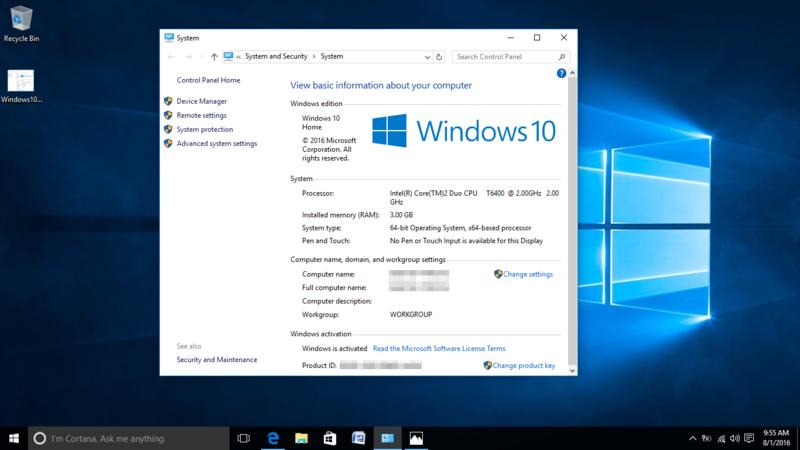
Is that possible? Certainly! I upgraded an old Dell laptop which was running a very slow Windows Vista system last week. However, there is no meaning of a true upgrade procedure directly from Vista. You have to backup user files and reformat your harddrive and then install Windows 10. After that, there are possibly missing hardware drivers which you need to download and install. Reloading your previous program is easy and the only problem is some OLD program might not be compatible with Windows 10.
Is it wise to upgrade? Seriously, that depends. At least you need a duo core processor and decent amount of RAM, say 2GB minimum. And I found some machines running Vista/XP do not have enough RAM, unless their RAM has been upgraded in the past. Also my experience is, generally elderly people care about their equipments and their desktops/laptops are in fairly good condition. If their machines meet the minimum requirements and my advise is go and upgrade your old Windows Vista. There is only the license cost($119) for Windows 10, if you are a little bit handy, otherwise, you might have to pay for someone else to do it for you if your children do not want to involve with it or you do not trust them.
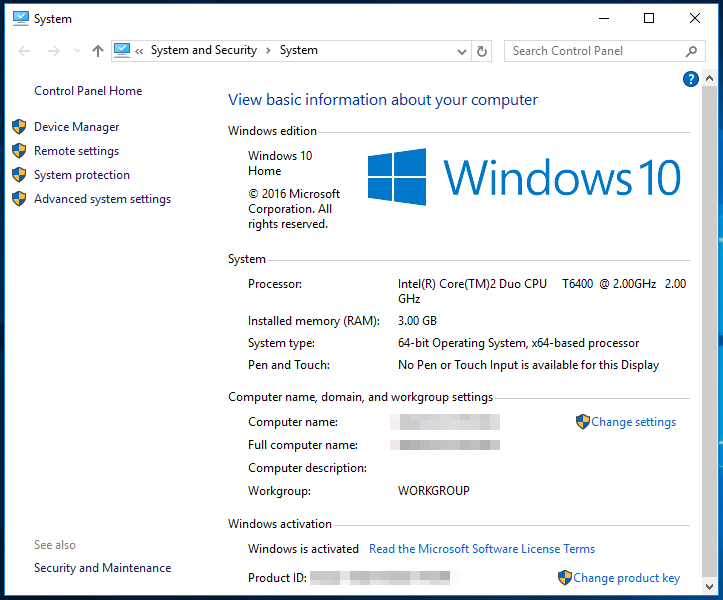
This Dell laptop was release in 2007, that's pretty old, has already served for 9 years. You might think it's garbage now and deserve only trash bin. However, I Added another 1GB RAM to it, so it's total 3GB RAM and Intel Core 2 Duo T6400 2GHz. It's running like magic after upgrading to Windows 10.
It only takes 9 seconds to boot to login screen from previous shutdown thank for Microsoft "Fast Startup", and another 9 seconds to Desktop. Comparing to the previous Windows Vista system, the Windows 10 is impressive. For Microsoft Word application, it only takes about 5 seconds. You might argue, it's a fresh new installed system, but you will find out the fresh installed Windows Vista a lot slower.
- Log in to post comments


 My computer was completely disabled. I took it to Jim's and he managed to get it going again while I waited ! ! ! Fabulous. Not only that, he checked the drives and found a couple of trojans that were removed. Everything gets put on hold when your computer is down so it was great to get it up and running so quickly. Thanks Jim.